
Project Felt
Designer usage
Enablement in Figma
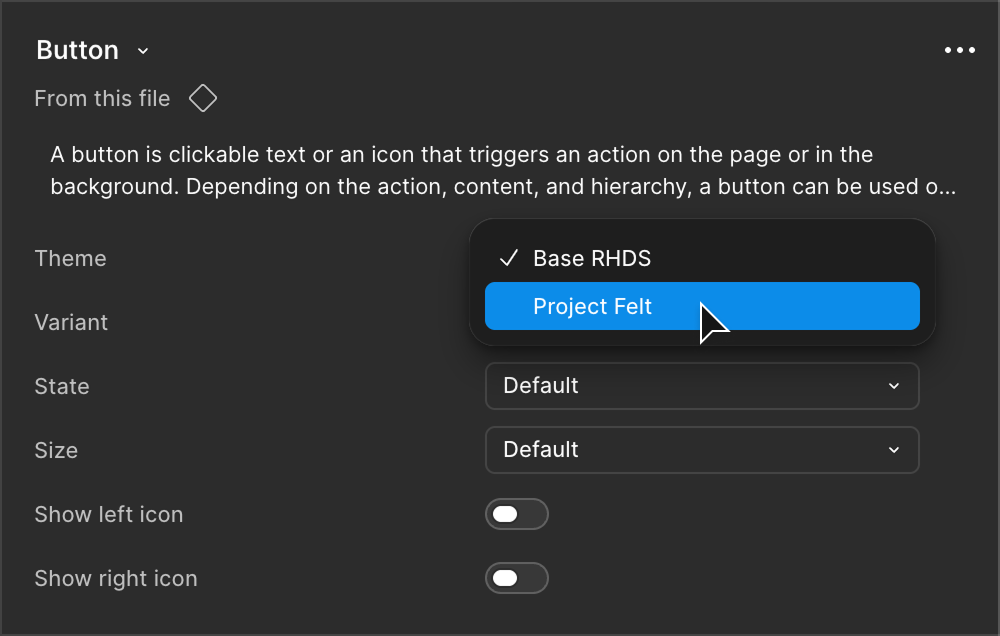
In the RHDS Figma library, we added a property called "Theme". It gives users the ability to toggle between base RHDS styles and Project Felt theme styles. Additionally, the semantic tokens for this new theme will be available in a separate "Semantic tokens - Project Felt theme" collection.
Developer usage
The Project Felt preview theme CSS is compatible with Red Hat Design System version 4.2.0 and above.
1. Include the stylesheet
There are a couple options for linking to the Project Felt preview theme:
- Link through the Red Hat CDN (recommended)
- Include in your build process
Link through the Red Hat CDN
For Red Hat websites and applications, we recommend linking the Project Felt theme preview stylesheet through the Red Hat Digital Experience CDN.
<link href="https://www.redhatstatic.com/dssf-001/gh/rhds/themes/project-felt/preview/felt-theme-preview.css" rel="stylesheet">Include in your build process
If you'd prefer to include the theme preview stylesheet in your build process, you can request the CSS from the CDN URL:
https://www.redhatstatic.com/dssf-001/gh/rhds/themes/project-felt/preview/felt-theme-preview.css2. Add theme preview class
After linking the Project Felt preview theme CSS file, you must apply the felt-preview class to a parent element, like the body or other element, where you want to scope the theme. All supported RHDS elements within that scope will inherit the theme styles.
<body class="felt-preview">
  <!-- Felt preview theme applied to child elements -->
</body>